A home office can look finished long before its electrical setup is fit for daily work. Extension leads, heaters sharing power with IT equipment and poorly placed routers are harder to put right once furniture, flooring and decorating are in place.
Use this home office electrical installation checklist before requesting quotes. It is for UK homeowners who need an electrician to assess, install, test and certify fixed-wiring work.
- List every device, including heaters and occasional equipment.
- Mark the furniture layout, socket locations and cable routes.
- Check Wi-Fi at the intended desk and note any data needs.
- Ask about circuit suitability, testing, certification and notification.
Start with the electrician and the scope of the home office
New circuits, fixed-wiring alterations, consumer-unit work and testing should be planned and completed by a competent electrician. Explain how the room will be used so they can assess the existing installation and propose a suitable scope. If you are comparing providers, this electrician near me checklist can help with quotation questions.
- Define the room use: occasional laptop work, a multi-screen office, video calls or printing.
- Prepare an equipment list, noting location and regular, occasional or winter use.
- Flag future changes, such as a second workstation, heater, air conditioning or an outbuilding.
- Set constraints: dimensions, access, known wall construction, budget and limits on trunking or disruption.
Separate essential work from nice-to-have upgrades
Separate safety and functional requirements from features you may be happy to defer. This keeps the quotation focused and makes it easier to compare like for like.
- Essential work: Safe circuit capacity, suitable socket locations, appropriate protection, sound earthing and testing are the non-negotiables. These are matters for the electrician to assess against the property and proposed installation.
- Nice-to-have upgrades: Additional future-proofed outlets, USB charging points, smart controls, decorative lighting and under-desk cable management may improve the room, but they should not distract from the core installation.
1. List every device and estimate the electrical load
A vague description such as "a desk and a computer" is not enough for sensible electrical planning. Write down every item that will use power in the office, including equipment that may be brought in occasionally.
- Record permanent desk equipment. Include the computer or laptop dock, monitors, docking station, speakers, webcam, chargers, desk lamp and any standing-desk motor. Add equipment that often gets forgotten, such as a shredder, label printer or external hard-drive dock.
- Include room services. List the router or mesh node, printer, fan, air purifier and lighting. These may not draw much individually, but they affect socket positions and cable routing.
- Highlight high-demand appliances. Portable electric heaters deserve special attention. They should not be treated as ordinary IT equipment, particularly if they are used for long periods in a cold room or converted space.
- Note specialist equipment. If you use powerful audio equipment, workshop-style tools, battery chargers or other unusual devices in the room, say so at the outset.
A device list helps an electrician understand likely demand and how the room will be used. It does not replace a professional assessment of the existing circuit, protective devices or wiring.
2. Check whether the existing circuit can safely serve the office
The room may already have sockets, but that does not automatically mean the existing circuit is suitable for an expanded office setup. A competent electrician should assess the circuit serving the room and the wider condition of the installation before recommending alterations. If you want background on arranging this type of visit, see the electrical inspection near me guide.
- Ask what else shares the circuit. A home office circuit may also supply bedrooms, hallways or other rooms. Knowing what runs at the same time matters more than counting the outlets in the office alone.
- Report warning signs honestly. Frequent tripping, warm accessories, damaged sockets, flickering lights or a history of overloaded extension leads should be discussed before work is priced.
- Request an assessment of the existing protective devices and cable condition. The electrician can determine whether the current arrangement is appropriate or whether further work is needed.
- Discuss a dedicated circuit where the use justifies it. This may be sensible for substantial equipment loads, regular heater use, repeated tripping, or a home office in a garage, garden building or other conversion.
Do not prescribe circuit ratings or protective-device choices based on internet advice. Those decisions depend on the property, cable routes, existing installation and the electrician's assessment.
3. Plan socket positions before furniture is fixed
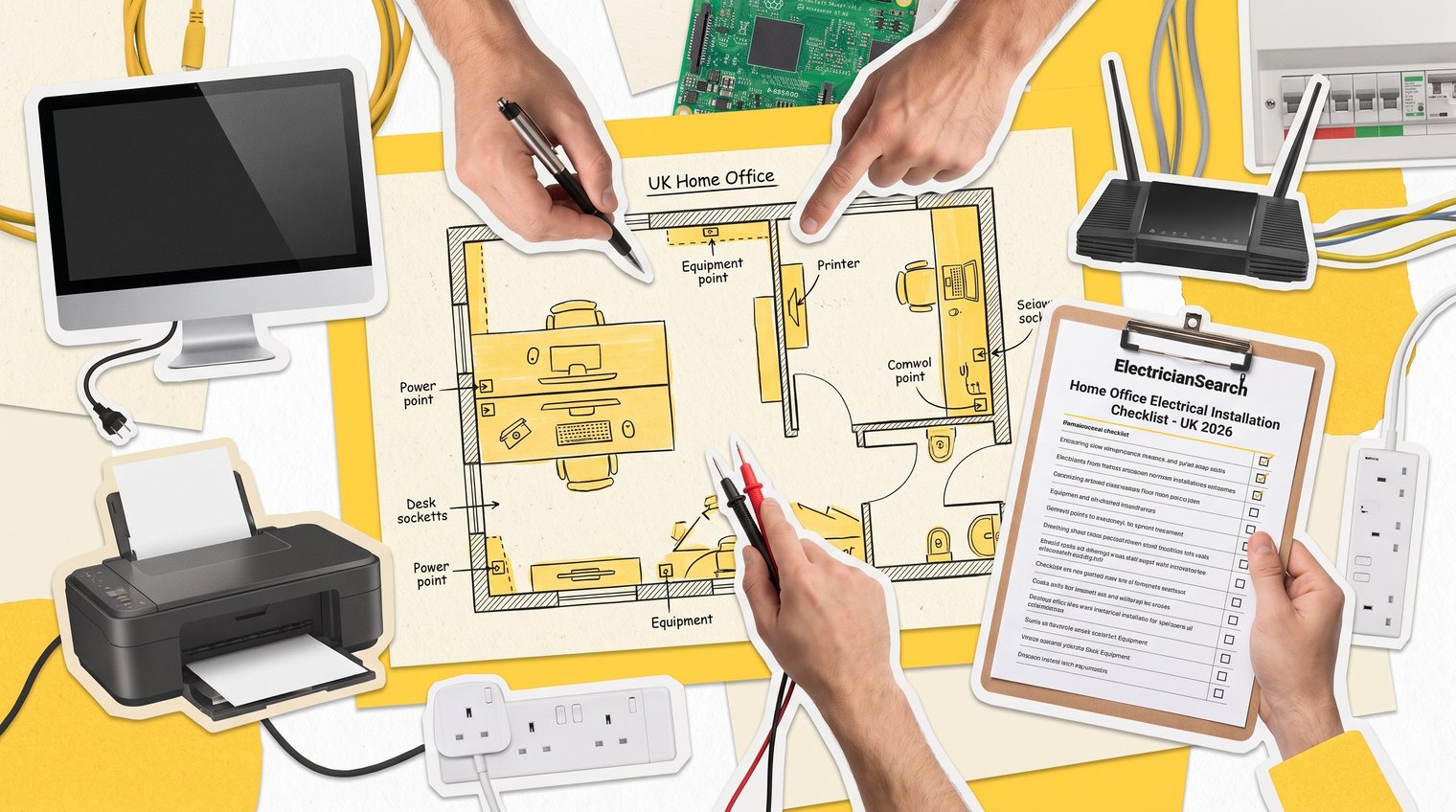
Too few sockets is one of the most avoidable home-office mistakes. Draw the room to a rough scale, place the furniture, then mark where each device will connect. Think about access after the desk, shelves and filing cabinets are in place.
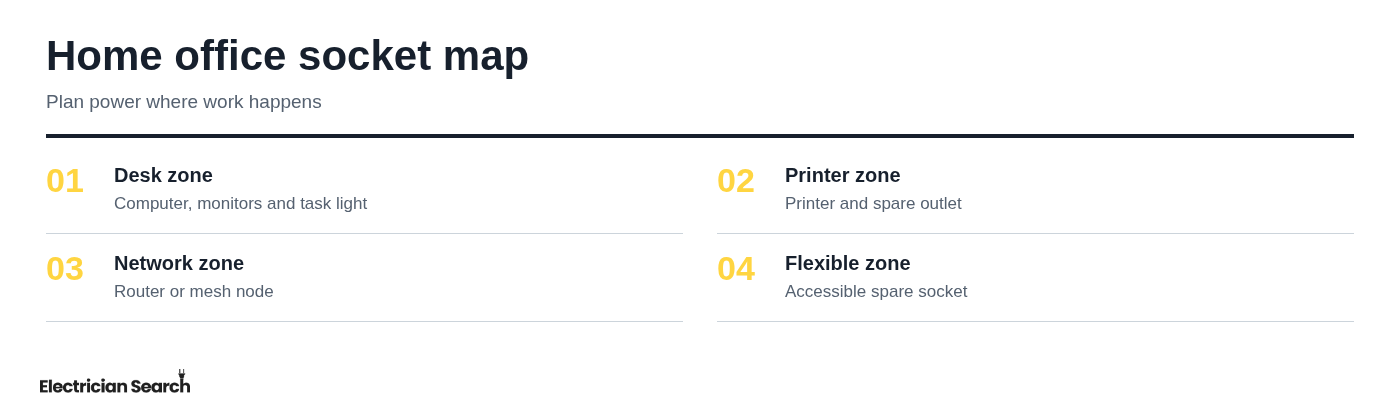
Map the desk location. Mark the main workstation, monitor wall, printer station, charging area and router location. Where practical, include sockets above desk or worktop height, as well as outlets that remain reachable below or behind furniture.
Build in accessible spare capacity. A spare outlet is useful for temporary equipment, a visitor's charger or a new device. It is better than relying permanently on multiway adapters.
Treat extension leads as temporary convenience. They can be useful for occasional needs, but they are not a substitute for enough appropriately located fixed sockets. Avoid trailing leads across walking routes or beneath areas where furniture can crush them.
Desk and monitor wall
Plan power for the computer, displays, docking station and task light together. If the desk faces a wall, decide whether outlets need to sit above desk level, below the worktop or in another position that allows tidy cable routes without leads crossing the floor.
Printer, networking and charging zone
Keep the printer and charging area separate from the main desk plan. Printers are often pushed into a corner until they need servicing, while chargers multiply quickly. Allow a spare outlet here for temporary equipment rather than using the only accessible desk socket.
4. Specify layered lighting for screen work and video calls
One central ceiling fitting rarely creates a comfortable all-day workspace. Better home-office lighting combines general illumination with task lighting at the desk and, where useful, a softer front-facing light for video calls.
- Plan ambient lighting first. General room lighting should make the space usable without creating harsh shadows or a gloomy contrast around the desk.
- Add adjustable task lighting. A dedicated desk light lets you light paperwork, keyboard work or video calls without over-lighting the entire room.
- Check glare with the screen position. Screen reflections often come from windows and fittings placed directly behind or in front of the display. Decide on monitor and light locations together, not as separate purchases.
- Choose sensible controls. Ask for switching that is convenient from the room entrance and desk area where appropriate. Dimming and separate controls for task and general lighting can make the space more comfortable, if suitable for the selected fittings.
5. Plan data, Wi-Fi and cable routes alongside power
A well-powered office is still frustrating if video calls drop out or network cables run under a chair. Test Wi-Fi at the intended desk before the electrician starts, particularly in extensions, lofts, garages and garden offices where signal can be weaker.
- Test the actual work position. Do not assume the signal is adequate because Wi-Fi works at the doorway. Test calls, file transfers or normal work applications where the desk will sit.
- Choose the router or mesh-node position early. This may affect power needs, shelf placement and cable routes. Avoid placing networking equipment where it will be inaccessible or boxed in by furniture.
- Consider data cabling when reliability matters. A wired connection can be worthwhile for demanding work, fixed desktop setups or rooms with inconsistent wireless coverage.
- Protect every cable route. Keep cables away from chair wheels, pinch points, walking areas and locations where furniture may compress them. Electrical and data work have different requirements, but coordinating both avoids reopening walls or moving furniture later.
6. Make the installation safe for the room and property
A proper electrical service checklist is about more than the number of sockets. It should address the condition of the existing supply and circuits, protective arrangements, outlets, lighting, earthing, cable routing and final verification.
- Discuss earthing and protective measures. The electrician should assess what is appropriate for the installation, including the condition of existing accessories and the protection of new work.
- Agree cable routes before walls are opened. Ask where cables will run, whether surface trunking is proposed, and how routes will avoid future drilling and damage.
- Ask about penetrations and fire-stopping. Where cables pass through parts of the building, suitable treatment may be needed to maintain the integrity of the construction. This is particularly relevant in altered spaces and more complex works.
- Give special spaces their own discussion. A garage office, loft conversion, garden office or other outbuilding may need a more involved assessment because supply arrangements, environment, building work and cable runs can be different from a room inside the main house.
7. Confirm UK compliance, notification and certification
Before work starts, ask who will check the applicable Building Regulations requirements and whether the planned work is notifiable. Not every home-office alteration follows the same route: the scope of work and its location matter.
- Confirm responsibility for compliance. Make sure it is clear who will assess the relevant requirements before installation, rather than assuming all electrical work is handled identically.
- Ask what certificates you will receive. Depending on the work, this may include an Electrical Installation Certificate or a Minor Electrical Installation Works Certificate.
- Keep any Building Regulations paperwork. If compliance documentation applies, store it with the electrical certificate, invoice and other property records.
These documents can be useful evidence of what was installed and tested, especially when you later alter the room, sell the property or need further electrical work.
8. Review the quote and agree the installation plan
A cheap quote is not necessarily a comparable quote. Ask for the scope in writing so you can see exactly what is and is not included before choosing a provider. For wider budgeting context, see how much it costs to hire an electrician in the UK.
- Confirm the quantities and locations. The quote should identify the number and position of outlets, switches, lighting points and any data-related work included in the scope.
- Clarify cable routes and making-good assumptions. Ask whether chasing, surface routes, patching, decorating or repair to wall finishes is included, excluded or limited.
- Check testing, certification and VAT. These should not be left as assumptions. Confirm what testing will be undertaken, what documentation is included and whether the stated price includes VAT.
- Discuss site practicalities. Agree power-isolation arrangements, working hours, furniture moving, dust control and access. Also confirm who supplies fittings, such as light fixtures, faceplates or smart controls.
- Compare credentials and specification, not just headline cost. A quote with a clear scope and proper testing is easier to assess than a low figure with vague allowances.
9. Inspect the finished office before handover
Do a room-by-room check while the electrician is still available to answer questions. It is easier to resolve a misplaced socket or unclear control arrangement before tools and furniture have disappeared from the space.
- Check every agreed point. Confirm that outlets, switches, lights and data points are in the locations shown in the agreed plan, and that the desk or storage will not block essential access.
- Ask for an explanation of the installation. Have the electrician identify the relevant circuit, explain new controls and point out any limitations or recommendations that affect future use.
- Review the testing and paperwork. Make sure you receive the relevant certificates and understand any observations recorded.
- Save useful records. Keep certificates, invoices and photographs of concealed cable routes with your property documents. They can help prevent accidental damage during future drilling or refurbishment.
Your pre-installation checklist to give an electrician
Give each electrician a single brief containing:
- Room plan: measurements, furniture layout, photos and preferred socket, lighting and network locations.
- Equipment list: all devices, heaters and specialist equipment, with any future changes.
- Practical details: Wi-Fi results, access, preferred dates, budget and limits on disruption or visible trunking.
- Questions: circuit suitability, cable routes, testing, certification, notification and what the quote includes.
When you are ready to discuss the work, use ElectricianSearch to find a nearby listed electrician and share your home-office brief before installation begins.